
 Amy Rabideau
The number wasn't a lie. It was just older than you thought.
Every distributor has had this conversation. You quoted 500 units because the screen said 800 were available. The order went in. Two days later the supplier told you 300 are coming in October.
I hear some version of that story at nearly every client meeting. And the inventory number almost never lied. It was simply older than anyone assumed.
The PromoStandards Inventory service is one of the most valuable pieces of our industry's data stack. PromoStandards itself puts up-to-date availability straight from suppliers, and fewer calls and emails about stock, at the heart of what it's for. It's also the service most often misunderstood, because the phrase we all use to describe it, "real-time inventory," covers situations that are genuinely different from one another.
This is a guide to reading that number with confidence.
What the Inventory service actually returns
Inventory is one of nine PromoStandards services. Its job is narrow and well defined: it answers do you have it, and where?
A query returns stock availability by part or SKU and, depending on what the supplier publishes, by color, size and warehouse. Many implementations also include future availability or backorder signals: stock is coming, and roughly when.
The current production version is Inventory 2.0.0. Version 1.2.1 is still in circulation, which matters mainly because older implementations may expose less detail.
It's also usually where integration starts. The PromoStandards Best Practices committee, drawing on its members' real implementations, lists Inventory as the first stop on the transactional path for suppliers and distributors alike, ahead of Order Status and Order Shipment Notification.
That's the whole scope, and it's a powerful one.
"Real-time" is a spectrum, not a switch
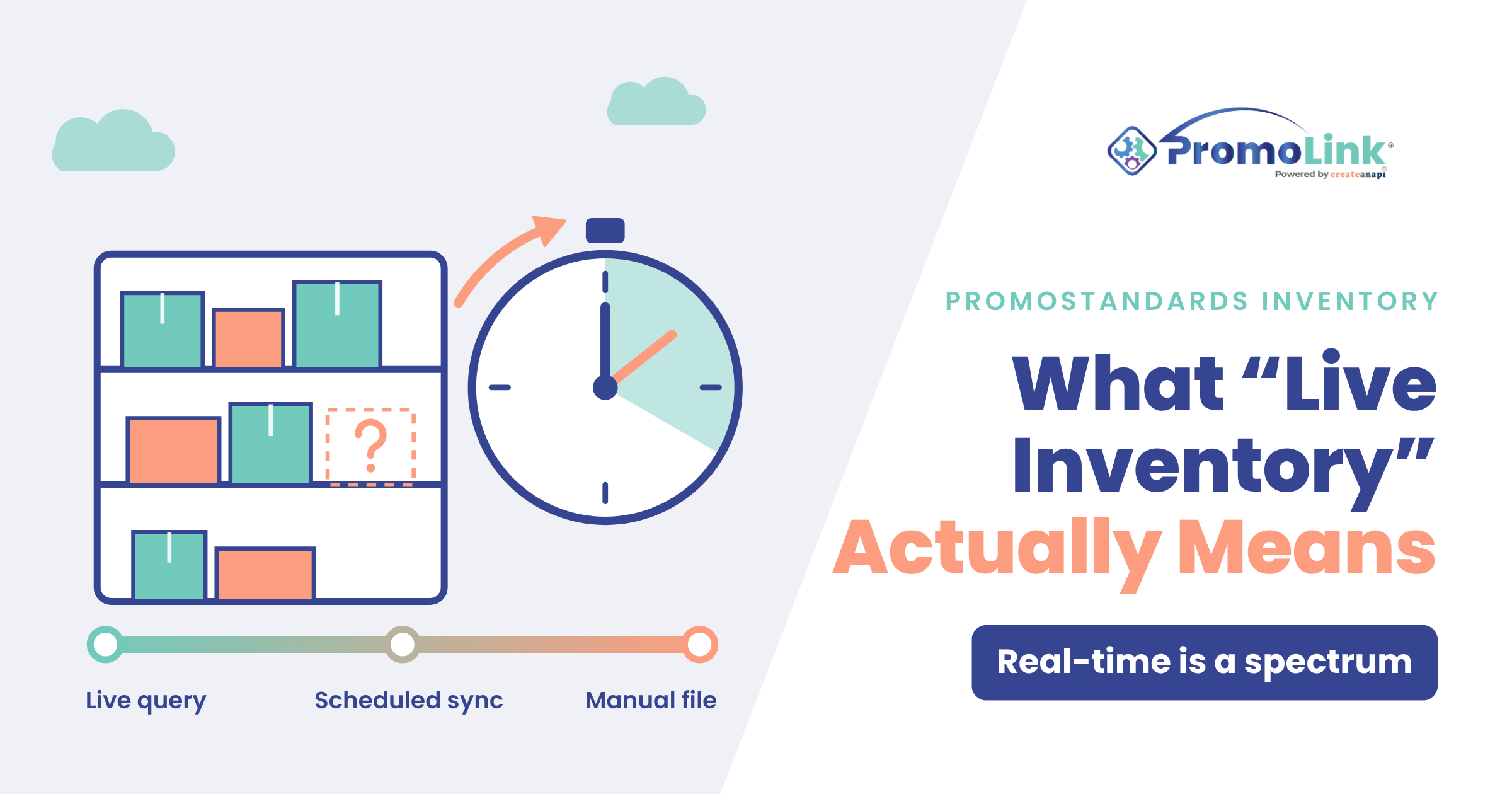
An inventory endpoint has to get its numbers from somewhere, and suppliers do it in three broadly different ways. All three are legitimate. They produce very different data.
|
Pattern |
How it works |
How fresh the number is |
|
Live query |
The endpoint reaches into the supplier's ERP or warehouse system the moment you ask |
As good as the supplier's own internal number |
|
Scheduled sync |
The endpoint is fed on a cadence, commonly every 3, 6, 12 or 24 hours |
Accurate as of the last sync: twenty minutes ago, or twenty hours ago |
|
Manual file |
The supplier uploads a spreadsheet or CSV on its own rhythm, and the endpoint serves it |
As fresh as the last upload |
The live query is what everyone pictures when they hear real-time, and when it's in place, it's excellent.
The scheduled sync is where most of the nuance lives. Independent implementation documentation describes inventory as typically polled every few hours or daily, depending on the supplier.
The manual file is completely valid for a supplier with a small catalog or slow-moving stock. It's also the pattern where the word "live" is doing the most work.
The PromoStandards Best Practices committee gives suppliers a vocabulary for this. It recommends committing to a publishing cadence for each service in one of four tiers: hourly or faster, every one to eight hours, every 24 hours, or weekly. That's a gift to the buying side, because it turns "real-time" into a question with a specific answer.
The committee also draws a clear line between kinds of data. Media, product and pricing data rarely change, so distributors can reasonably cache them for about a week. Inventory is transactional, and the committee doesn't recommend caching it at all. Inventory is meant to be asked for fresh.
The bottom line: two suppliers can both be fully PromoStandards compliant on Inventory, and one of their numbers can be a day older than the other's. Nothing on your screen will tell you which is which. You can't trust what you can't see.
Why it matters at the exact moment you quote
Most of the time, a slightly stale number is harmless. It gets expensive in specific, predictable situations.
Fast-moving or closeout stock. The faster a SKU moves, the more a twelve-hour-old number costs you. The products most likely to be oversold are precisely the ones most likely to be stale.
Large quantities. Asking for 50 of something with 2,000 on hand is safe at any refresh rate. Asking for 800 when the screen says 900 is a very different proposition.
Tight in-hands dates. When there's no room to recover from a shortfall, the age of the number stops being an inventory question and becomes a scheduling risk.
Multi-color or multi-size orders. Every combination is its own availability question, and the odds that at least one has shifted since the last sync rise with every variant you add.
None of this means distrust the data. It means knowing which orders deserve a second look.
Questions worth asking about any inventory number
These are quick, and they separate a number you can quote on from one you should confirm.
How does this supplier feed its endpoint: live query, scheduled sync, or manual upload? The single most useful thing to know. Most suppliers will tell you if you ask.
What publishing cadence has the supplier committed to? If they follow the Best Practices committee's tiers, the answer is one of four: hourly or faster, every one to eight hours, daily, or weekly.
When was it last refreshed? Some tools show this. If yours doesn't, assume the number is older than it looks.
Does it break out by warehouse? A national total can hide the fact that 800 units are split across three locations, none of which covers your order alone.
Does it separate on-hand from available? Stock that exists but is allocated to someone else isn't stock you can have.
Is there a backorder or future-availability date? "Zero now, 5,000 on the 14th" is a completely different answer from "zero."
How big is my order compared to what's showing? Your own best risk filter, and it costs nothing.
What it looks like from the supplier's side
Inventory data has to come out of a real system: an ERP, a warehouse platform, an e-commerce back end, or a file. Each has its own constraints. Some ERPs will happily answer live queries all day. Others won't tolerate being hit on every distributor's page load, and a scheduled sync is the responsible engineering choice, not a shortcut. A supplier with 150 SKUs and weekly replenishment genuinely doesn't need hourly updates.
The buying side has a part to play here, too. The Best Practices committee cautions distributors against over-calling supplier endpoints: checking every minute rarely produces a meaningfully fresher answer, and it slows the endpoint down for everyone. Many suppliers rate-limit for exactly that reason, and the committee asks them to document acceptable call frequency in their integration guides.
What matters most is what the cadence communicates. A distributor who gets burned once by a stale number usually doesn't complain. They quietly start calling instead of querying, which erases most of the value you built the endpoint to deliver.
If you publish inventory, do two things: know your actual refresh interval, and say it out loud. The committee recommends publishing a cadence per service and giving distributors a monitored inbox for problems, with a response time you'll stand behind. A supplier who can say "we sync every three hours, and here's how to request a live check on a large order" earns more trust than one who just says "we're real-time," because the sourcing side has learned what that phrase is worth. Transparency builds trust.
What inventory data can't tell you
Even a perfect, truly live number is silent on several things that decide whether your order ships on time.
Whether someone else is about to take it. Inventory isn't a reservation. A quantity showing available to you is showing available to everyone else querying the same endpoint.
Whether it's allocated. Depending on how the supplier calculates what it publishes, units committed to other orders may or may not already be deducted.
What's in transit. Incoming stock may show up as a future-availability date, or not at all.
Decoration capacity. Blanks on a shelf say nothing about whether the supplier's decoration queue can take your job this week. This one catches people constantly: the product is available, and the order still isn't.
Minimums and case packs. Available isn't the same as sellable in the quantity you need.
The practical takeaway: inventory answers one question really well. Treat it as one input into the commitment you make to your customer, not the commitment itself.
Frequently asked questions
Is PromoStandards inventory data real-time? Sometimes literally, often not quite. It depends on whether the supplier's endpoint queries its system live or serves data refreshed on a schedule, commonly every few hours to daily. Both are compliant with the standard.
Why does a supplier show stock that turns out not to be there? Most often because the number was accurate at the last refresh and something moved since. Other common causes: allocation to other orders, warehouse splits hidden behind a national total, and case-pack or minimum constraints.
Can I tell how fresh a supplier's inventory data is? Not always from the number itself. Some tools show a last-updated timestamp. Otherwise, ask the supplier what cadence they've committed to. It's a fair question, and the answer is usually one sentence.
Should my system cache inventory like it caches product data? Generally no. The PromoStandards Best Practices committee treats inventory as transactional data to request fresh, while product, media and pricing data can usually be cached for about a week. Just don't over-call: frequent polling rarely buys a fresher answer and can run into a supplier's rate limits.
Does every PromoStandards supplier publish inventory? No. Suppliers implement individual services, and it's common to publish product data without inventory. A supplier can be fully listed and simply not offer this one.
What's the difference between Inventory 1.2.1 and 2.0.0? 2.0.0 is the current production version. In practice, newer implementations tend to expose more detail, so if a supplier's data looks thinner than expected, an older implementation is one possible reason.
How we handle it at PromoLink
In the spirit of transparency, here's how this works inside Showcase, Sales Order and Storefront. Supplier inventory from about 150 suppliers refreshes several times a day, on a schedule that varies by supplier, because each supplier's endpoint is different. Then, right before a Sales Order, Purchase Order or Showcase price calculation, PromoLink pulls live pricing and inventory using your own supplier credentials, so the commitment you make is based on the freshest number the supplier will give. Reps can also refresh inventory on demand from the product page, see stock by warehouse, and compare availability and the closest warehouse across suppliers.
None of that makes a supplier's data fresher than the supplier publishes it, and that's exactly the point of this article. What it does is put every number in one place, with the right check at the right moment.
Trust, transparency, and experience
When we talk about live inventory, we're really talking about trust. Clean, honest inventory data isn't just an operational win. It's what lets you quote with confidence and keep your promises to your clients.
So ask the questions. Share what you learn with your peers, and if you're a supplier, tell your distributors your real cadence. We rise together.

Written by
Amy Rabideau
Client & Community Engagement | Board Member & Mentor | ESG Advocate